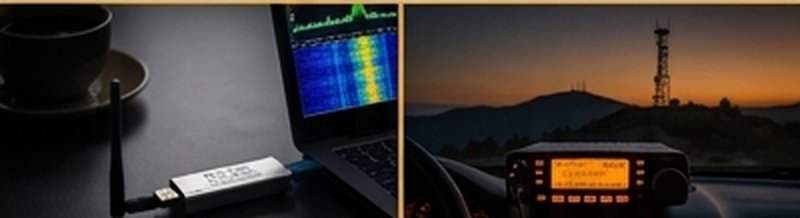
Winlink is a worldwide radio messaging network that lets licensed amateur operators send and receive email — including attachments and standard ICS emergency management forms — with no internet infrastructure whatsoever. It runs over HF, VHF, or UHF radio, which means it keeps working when cell towers and broadband are down. It's the backbone communications system for a huge number of ARES and served agency activations.
What Winlink does: Routes email messages through a network of volunteer gateway stations connected to the internet. Your radio connects to a local gateway (via VHF packet or HF digital modes), the gateway forwards your message to the Winlink servers, and from there it can be delivered to any email address — or retrieved by another Winlink station anywhere in the world, radio-only.
What You Need
- Winlink Express — the free client software (Windows). Download at winlink.org/downloads
- A radio — Any VHF/UHF FM transceiver for packet, or an HF transceiver for VARA HF
- An interface — For VHF packet: a TNC (Terminal Node Controller) like the Mobilinkd TNC4, or a Direwolf software TNC with a sound card cable. For HF: a USB interface cable to your transceiver
- VARA FM or VARA HF — free sound-card modem software that dramatically outperforms older Pactor modems. Download at varac.net
- A valid amateur radio callsign registered with Winlink (free at winlink.org)
Connection Modes Compared
| Mode | Band | Hardware Needed | Best For |
|---|---|---|---|
| VARA FM | VHF/UHF | FM radio + sound card cable | Local EmComm, easiest setup |
| Packet (AX.25) | VHF | FM radio + TNC or Direwolf | Traditional, widely deployed |
| VARA HF | HF (all bands) | HF rig + USB/sound interface | Long-distance, no local gateway needed |
| Pactor | HF | Pactor modem ($800+) | Most reliable HF, but expensive |
| ARDOP | HF | HF rig + sound card | Free alternative to Pactor HF |
Recommendation for beginners: Start with VARA FM on 2m. You need only an FM radio with an audio cable to your computer, the free Winlink Express software, and the free VARA FM modem. Most urban and suburban areas have a VHF Winlink gateway within range of a mobile or handheld radio.
Step-by-Step: VARA FM Setup on 2m
Register Your Callsign on Winlink
Go to winlink.org and click "Register." Enter your callsign, an email address for password recovery, and a password. Your Winlink address will be YOURCALL@winlink.org — this is how other stations address messages to you.
Download and Install Winlink Express and VARA FM
From winlink.org/downloads, install Winlink Express. Then from varac.net, download and install VARA FM (the free version handles everything you need to start). Both run on Windows 10/11. Launch Winlink Express and enter your callsign and grid square under Settings.
Connect Your Radio to the Computer
For most FM radios, you need a cable from the radio's speaker/mic jacks to your computer's headphone/mic ports — or a USB sound card interface. The Tigertronics SignaLink USB is the most popular choice (~$120). Set the DELAY knob to zero, and adjust TX level later. Alternatively, use a Mobilinkd TNC4 with Bluetooth for a cleaner setup with compatible radios.
Find a Local VHF Gateway
In Winlink Express, open a "VARA FM Winlink" session. Click "Update gateway list" to download current active gateways. Filter by your state or grid square. Most gateways operate on 144.990 MHz or 145.010 MHz, but check the list for your area. Program that frequency into your 2m radio and leave it in FM mode.
Send Your First Message
In Winlink Express, click "New Message." Address it to your own regular email address (e.g., yourname@gmail.com) as a test. Subject: "Winlink Test." Body: "First Winlink message via VARA FM." Click "Post to Outbox," then in your VARA FM session, click "Start." The software will key your radio, connect to the gateway, and transfer your message. Check your email inbox — it should arrive within a minute.
Moving to HF Winlink
Once you're comfortable with VHF Winlink, adding HF capability opens up long-distance messaging with no local gateway needed — your signal reaches HF gateways hundreds or thousands of miles away. The setup is similar to FT8:
- Connect your HF rig via USB or sound card interface
- In Winlink Express, open a "VARA HF Winlink" session
- Set your radio to USB mode (USB-D on IC-7300)
- Select a frequency from the built-in channel list (20m is most reliable daytime)
- Click "Start" and the software negotiates connection speed automatically with the gateway
VARA HF (free version) is limited to slower connection speeds than the paid registered version (~$69), but works perfectly well for text messages and ICS forms. If you're using Winlink regularly for EmComm, the registration is worth it.
ICS Forms in Winlink
One of Winlink's most powerful EmComm features is built-in support for standardized ICS forms. In Winlink Express, click "New Message" → "Select Template" to access ICS-213 (General Message), ICS-214 (Activity Log), Red Cross shelter forms, FEMA forms, and dozens of others. The forms fill out in the software and transmit as structured data that can be printed at the receiving end. This is exactly how ARES activations exchange information with served agencies during real events.
Practice regularly: Winlink is a skill that degrades without use. Most ARES sections recommend at least one Winlink check-in per month — many run weekly nets specifically for this purpose. Check your local ARES section's net schedule and make it a habit before you need it in an actual activation.
Key Resources
- Winlink.org — Software downloads, registration, gateway map
- VARA FM & HF modems — Free and registered versions
- Winlink VARA FM Setup Guide — Official documentation
- ARRL ARES — Connect with local groups using Winlink operationally
Understanding the Winlink Network Architecture
Winlink's reliability comes from its distributed architecture. Rather than depending on a single server, the network runs on a mesh of Common Message Servers (CMS) synchronized globally and a network of Radio Message Servers (RMS) — the volunteer-operated gateway stations you connect to via radio. When you send a message through an RMS gateway, it routes to the nearest CMS, which stores and forwards to the recipient's Winlink address or delivers to an internet email address. If one CMS goes offline, the others take over automatically. This is why Winlink keeps working during disasters when centralized services fail.
VARA HF vs VARA FM: When to Use Each
VARA FM and VARA HF serve different scenarios and it's worth understanding the tradeoff clearly before deciding which to configure first.
VARA FM operates over VHF/UHF FM radio — the same bands you use for local repeater contacts. It's faster than VARA HF for short-distance connections (typically 5–50 km), requires simpler hardware (any FM radio with an audio interface), and is the standard for local ARES activations where most deployed operators are within line-of-sight of a gateway. The limitation is range — you need a local VARA FM gateway within VHF reach.
VARA HF operates over HF frequencies (all amateur bands are supported) and can reach gateways hundreds or thousands of miles away. This is critical when local VHF infrastructure is destroyed — a common scenario in major disasters. With VARA HF, an operator in a remote shelter can connect to an HF gateway across the country and still get messages out. The tradeoff is slower throughput and more complex RF setup (HF transceiver, proper antenna, CAT control).
Winlink in Real Emergency Activations
During major activations — hurricanes, earthquakes, flooding events — Winlink traffic follows a structured workflow that's worth knowing before you're in the field under pressure:
- ICS-213 General Message: The standard form for all routine traffic between positions. Available as a template in Winlink Express.
- ICS-214 Activity Log: Documents what your station has done and when. Required by most served agencies for accountability.
- Shelter forms: Red Cross, FEMA, and state emergency management agencies all have standardized shelter population and resource forms available as Winlink templates.
- Resource requests: When field teams need supplies or personnel, they submit resource requests via Winlink to net control, who aggregates and routes them to served agency logistics.
The key discipline: Winlink in EmComm is not email. Every message has a purpose, a recipient, and an action item. Keep messages short, use the correct form, and include your location and contact frequency in every message header.
Telnet Mode: Practicing Without a Radio
One of Winlink Express's most useful features for training is Telnet mode — it connects to the Winlink CMS servers via your internet connection rather than via radio. This lets you practice composing, sending, and receiving messages, learn the ICS form templates, and verify your account is working correctly without needing a radio or gateway. Most ARES sections recommend all new members set up Winlink and send at least one test message via Telnet before their first activation. Once you're comfortable with the interface, adding the radio connection is a straightforward additional step.
Maintaining Currency: Monthly Check-ins
A Winlink skill that isn't practiced degrades. Most ARES sections run weekly or monthly Winlink nets specifically to keep members current. The typical format: net control posts a net announcement to SOTAwatch or the ARES section mailing list, and all members send a check-in message via their preferred Winlink mode (VHF packet, VARA FM, or VARA HF) to the net control station's Winlink address. Net control acknowledges each check-in and posts the roster. Simple, low-overhead, and it keeps both the operator and the equipment ready.
If your area doesn't have a formal Winlink net, you can maintain currency by sending yourself a monthly test message via any gateway and verifying it arrives at your regular email address. The Winlink account itself stays active as long as you log in at least once every 400 days — but the radio skills require more frequent practice than the account maintenance requires.